User & Role Management
Last updated: 6/17/2026
Control who can access your tenant and what they are allowed to do.
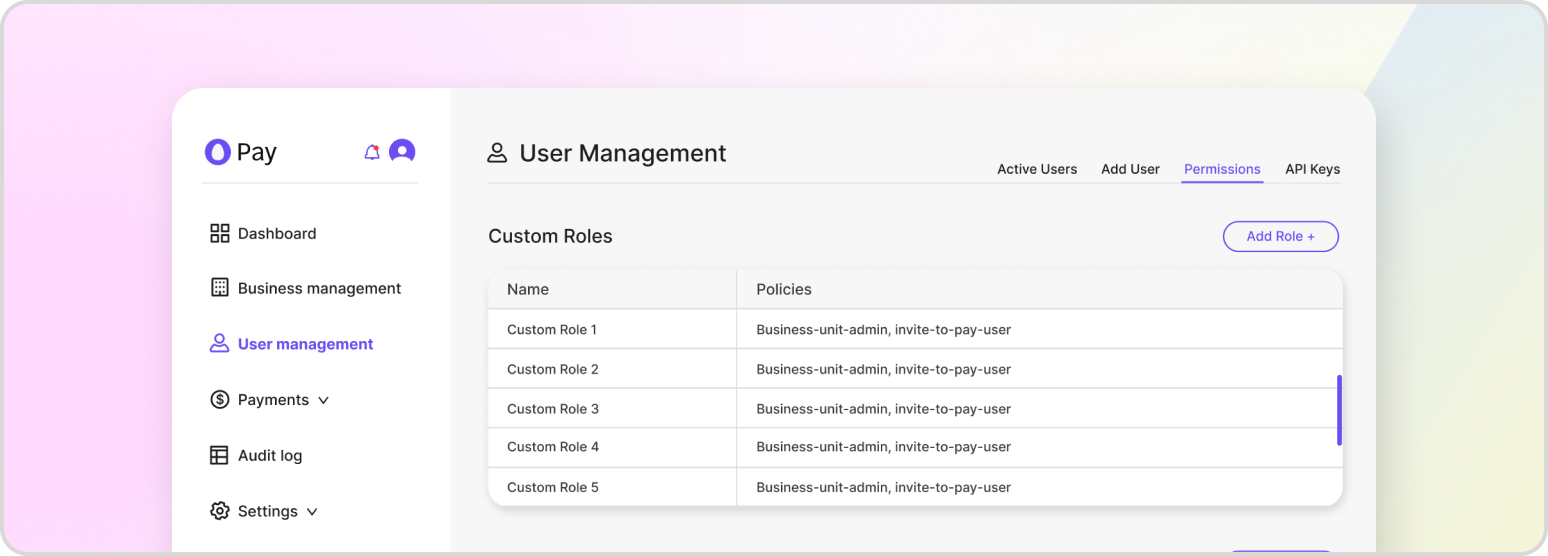
HatchPay uses role-based access control (RBAC) to govern what each user and API key can do within your tenant. The model is hierarchical: a user is assigned one or more roles, each role groups one or more policies, and each policy grants a set of fine-grained permissions. Permissions are the atomic units of access, such as transaction:RefundTransaction or invitetopay:StartTransaction. This structure lets you grant the least privilege necessary for a given job rather than handing out broad access.
Account, user, role, and policy management is provided by the Account Management service. Every operation is scoped to your tenant and audited.
Users
The first user created during onboarding becomes the account owner. Additional users can be created, listed, updated, and removed.
GET /users — list all users in the tenant.
POST /users — create a user. The request requires a name, an email, and a temporary_password. A corresponding identity-provider account is created and the user is prompted to set a permanent password on first sign-in.
{
    "name": "Jordan Lee",
    "email": "jordan.lee@example.com",
    "temporary_password": "ChangeMe!2026"
}
Use PATCH /users/{user_id} to update a user, and DELETE /users/{user_id} to deactivate one. Users are soft-deleted, preserving the audit trail.
Assigning Roles to Users
A user’s effective permissions come entirely from the roles assigned to them.
PUT /users/{user_id}/roles — replace the set of roles assigned to a user.
GET /users/{user_id}/roles — view a user’s roles.
GET /users/{user_id}/permissions — view the flattened set of permissions a user has across all of their roles. This is the quickest way to confirm exactly what a user can do.
Roles & Policies
Roles aggregate policies, and policies aggregate permissions. This indirection lets you reuse a common policy across many roles.
GET /roles and POST /roles — list and create roles.
PUT /roles/{role_id}/policies — attach policies to a role.
GET /roles/{role_id}/permissions — see every permission a role grants.
GET /roles/{role_id}/has_users — check whether a role is still in use before deleting it.
GET /policies and POST /policies — list and create policies.
Permissions Reference
The complete catalog of permissions available in HatchPay can be retrieved at any time. This is useful when designing a new role and deciding which capabilities it should include.
GET /permissions
When you create an API key, you attach roles to it the same way you do for users — see API Key Management for the key-specific workflow.
User Management from the Tenant Console
Inside of the “User Management” section of the tenant console, you can also manage your users, roles, and policies from there. Current users can be managed under “Active Users”, new users can be added under “Add User”, and custom roles and policies can be assigned policies and permissions respectively under “Permissions.”